To use the DailyStory REST API you will first need an API token. To create an API token login to DailyStory and then go to Account Settings > API Tokens:
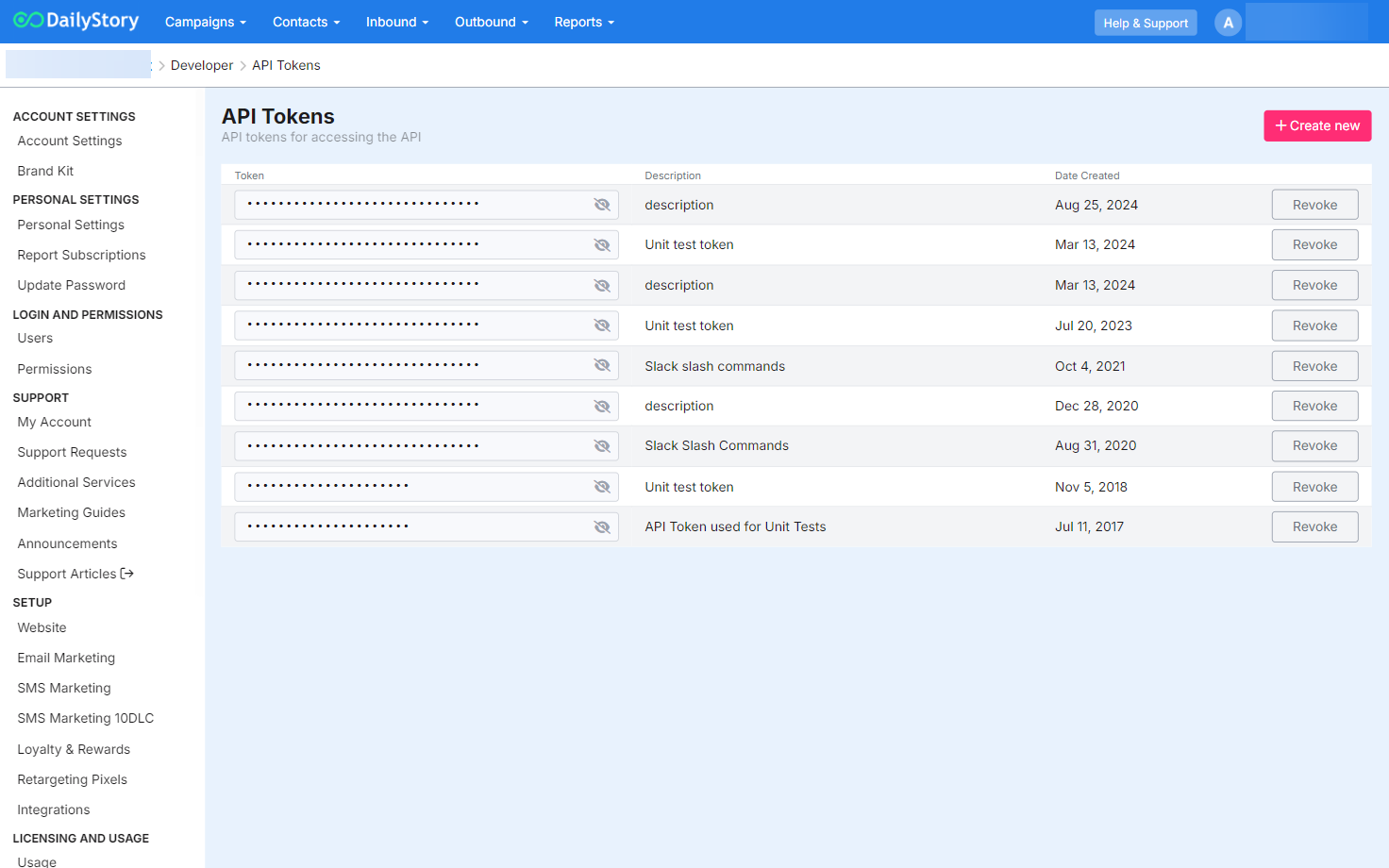
From here you can click the "+ Create new" to generate a new token or revoke existing tokens.
RecommendedAs a best practice, we recommend creating separate tokens for each application integrated with DailyStory.
All requests made to the DailyStory API require 2 pieces of information:
Use of the API requires you to use a specific data center identifier (or instance identifier) when making an API request. When logged in to DailyStory this can be determined by examining the URL.
For example, https://us-1.dailystory.com uses the us-1 data center. Whereas https://uk-3.dailystory.com uses the uk-3 data center.
All API requests are made using the URL that includes your data center, e.g. https://us-1.dailystory.com/api/v1/about. In this example, us-1 is the data center. DailyStory's application centers are provided regionally.
The DailyStory API requires that all API requests are made over HTTPS and is authenticated using either a bearer token (preferred) basic authentication (supported) in the Authorization HTTP header.
Using API token as a bearer token is this recommended and simplest way to work with the DailyStory API. Simply set your Authorization header to "Bearer [your api token]".
For example, if your API token is: sp2r7s6zvq2pkvgwosgu92xuw-us-1
The Authorization header for bearer authentication would look as follows:
Basic Authentication is supported, but Bearer authentication is recommended.
If you are using Basic authentication there are additional steps required.
Basic Authentication requires:
api as the username.api:sp2r7s6zvq2pkvgwosgu92xuw-us-1.Below is the base 65 encoded string for api:sp2r7s6zvq2pkvgwosgu92xuw-us-1
YXBpOnNwMnI3czZ6dnEycGt2Z3dvc2d1OTJ4dXctdXMtMQ==
The Authorization header for basic authentication would then look as follows:
In the examples below the username and password are base 64 encoded automatically when using curl.
The API will always respond with a JSON response. Even in the case of errors. Typically the API response will be wrapped in a Response object. For example, a request to list all campaigns end-point returns and array of campaign objects:
The Status, along with the HTTP status code, indicates if the request was processed successfully. If an error occurred, the Message will contain details about the error.
The Response may contain multiple values.